Step #1: Click on “Switch to expert mode”
Put your chef’s hat on
If you are starting off in a totally fresh and new account, you’ll start by going to ads.google.com and clicking “get started.” Once you set up your account, Google will prompt you through setting up a Smart campaign right off the bat. This is enticing for advertisers who don’t want to put in the work, but taking the time to build out your own customized campaigns is worth it.
So do not choose your “Main advertising goal” as Google asks, and instead click the option to “Switch to expert mode.” 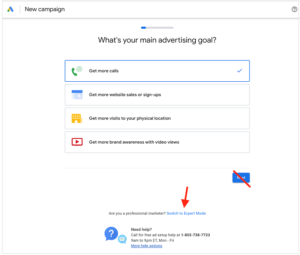
Step #2: Pick your campaign type
What meal are you going to make?
Think of your Google Ads account like a kitchen. Do you only make scrambled eggs in it? Hopefully not! You might make a steak dinner when you want a protein boost, soup when you have a cold, enchiladas when you want to spice things up, and so on. Well just like there are different meal types, there are different campaign types in Google Ads for different purposes.
What are the different campaign types in Google Ads?
- Search (the campaign type we’ll be using for this guide)
- Display
- Video
- Shopping
- App
- Discovery
- Local
- Performance Max
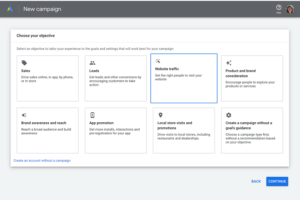
To pick a campaign, Google will first ask you to choose an objective. Depending on your objective, it will then show you which campaign types are available. For this guide, we’re going to create a Search ad so let’s choose website traffic.